
Meet Polaris Meme
Polaris is CoinScreener’s family of trading signal strategies. Meme looks for long opportunities in DOGE, 1000SHIB, 1000PEPE, 1000FLOKI, 1000BONK and BOME. Long means the setup benefits if price rises. Meme markets can move sharply.
1. Find and read a signal
Open Signals. Under Signal activity, choose Polaris Meme in the Strategy filter. Open an Ongoing signal to see its details. Recently closed shows completed setups, not new entries. If levels are locked, sign in and check your strategy access.
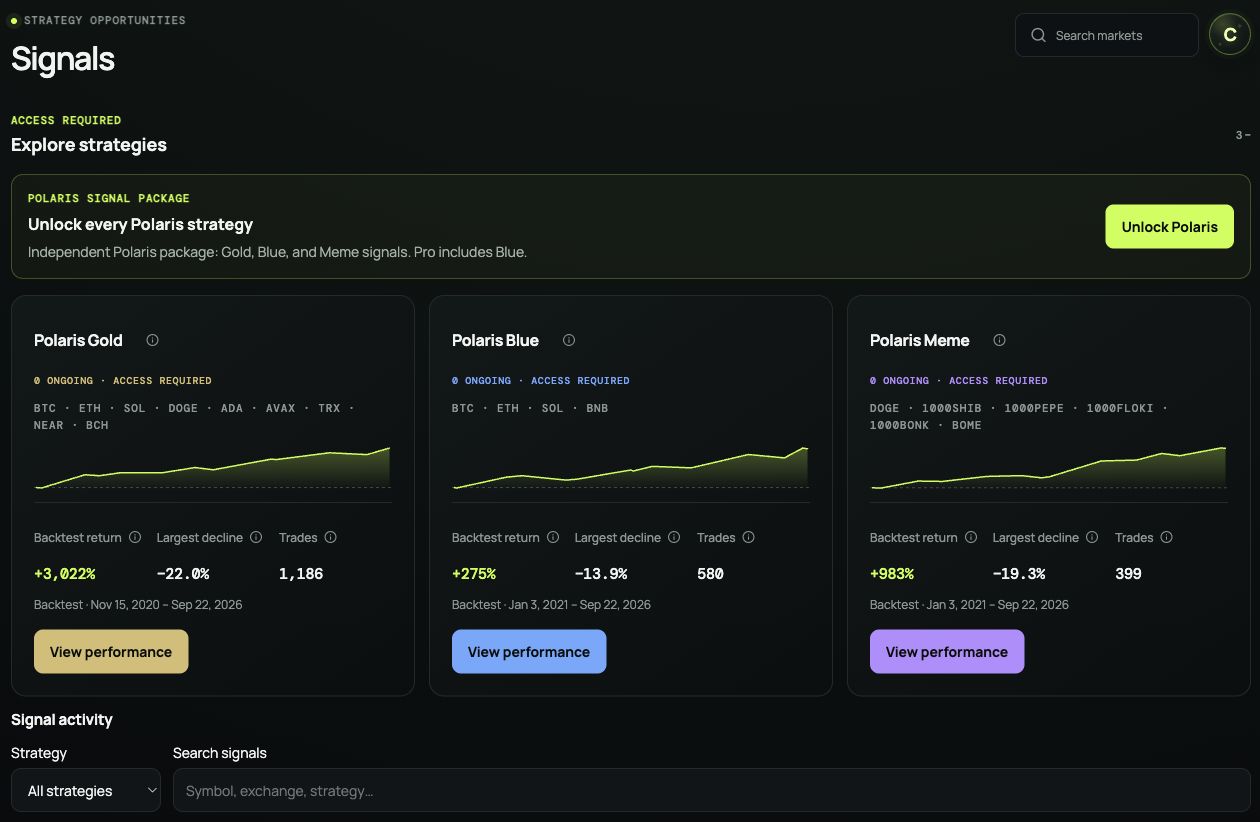
Use Strategy to filter the feed. View performance on a strategy card opens its historical results.
Check the market and direction, signal time, Entry and Stop. Long looks for a rise; short looks for a fall. Compare the reference entry with the price you can get now. If price has moved too far, skip it rather than chase.
Read the displayed exit information; do not invent a target if none is given. Opening a signal does not place a trade. For manual trading, place and manage your orders on your exchange.
2. Plan your risk
- Set a loss budget first. For illustration, 1% of a $1,000 account is $10. This is an example, not a recommended risk level.
- Size from the stop. With an entry of $100 and stop of $98, $10 of planned risk buys 5 units ($500 of exposure), before costs. Check your contract’s units. A stop can fill at a worse price; fees, funding and slippage add costs.
- Check the whole account. Meme positions can move together. Match 1000-prefixed contracts to your exchange’s units before sizing. Leverage increases liquidation risk. Do not widen a stop just to avoid taking a loss.
Start by observing or paper trading. Use the position-sizing guide for a worked example.
3. Check performance history
From Signals, select View performance on the Polaris Meme card, or open Polaris Meme performance.
Read Backtest results, then compare Total return with Largest decline: how far the simulated balance fell from a previous high. Scroll to Backtest trades for individual entries, exits and outcomes. Open a row’s chart button to inspect that trade.
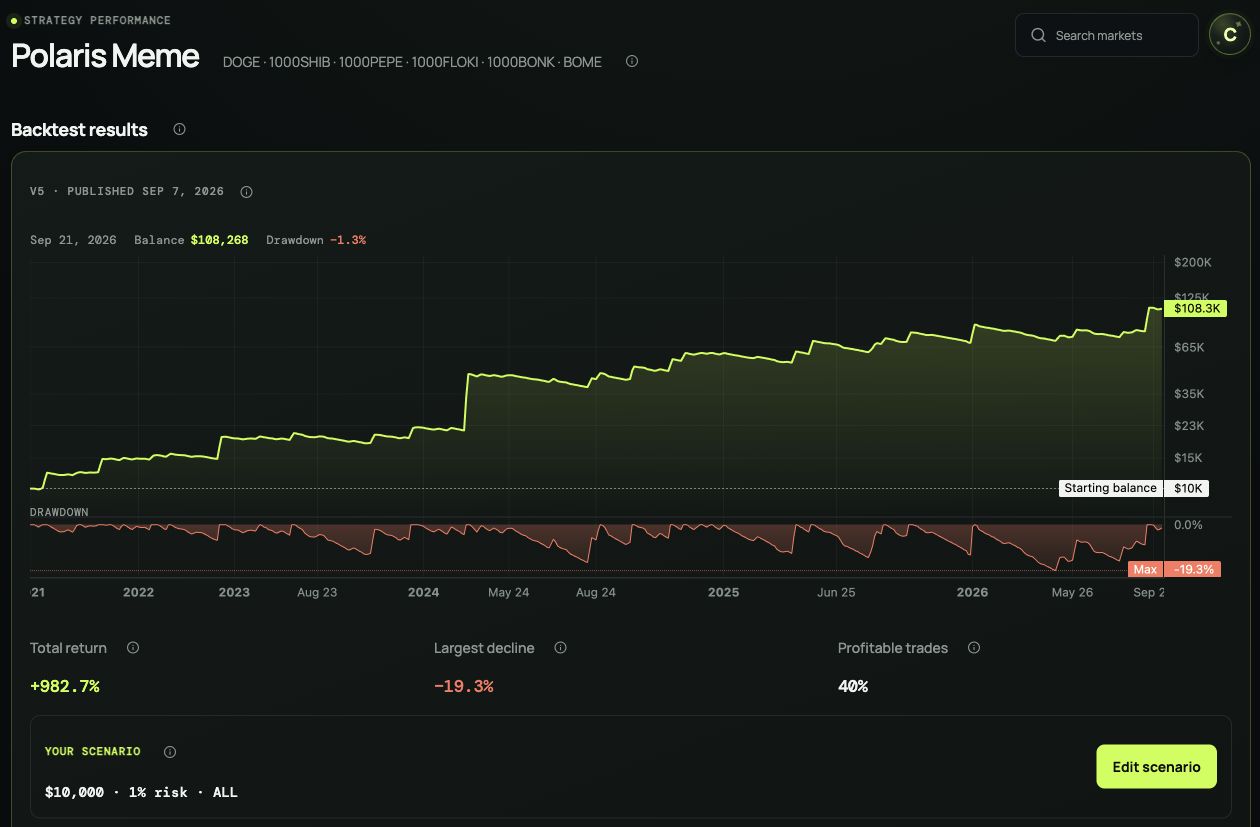
Polaris Meme historical simulation. Read the drawdown alongside return, then scroll down to Backtest trades.
Choose Edit scenario to try a Starting balance, Risk per trade and Period, then Apply. Compare the same period across strategies. These controls change the simulation, not your exchange account or orders.
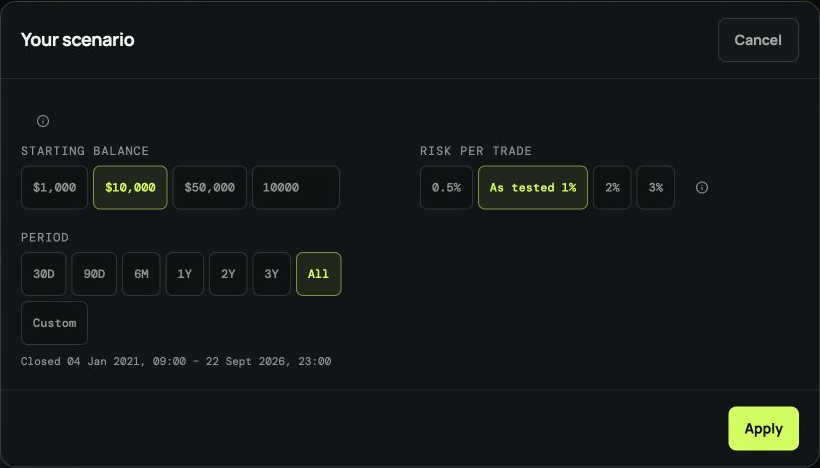
The same scenario controls are available for each strategy. This Blue example shows balance, risk and period.
4. Follow Polaris live
Track Polaris live at coinscreener.ai/polaris. Check the update time, returns and drawdown, then choose Gold, Blue or Meme under Closed trades to review completed trades.
This is live paper trading, using simulated capital—not a real-money account. Open position details are not published there. Backtests and paper results do not guarantee your returns.
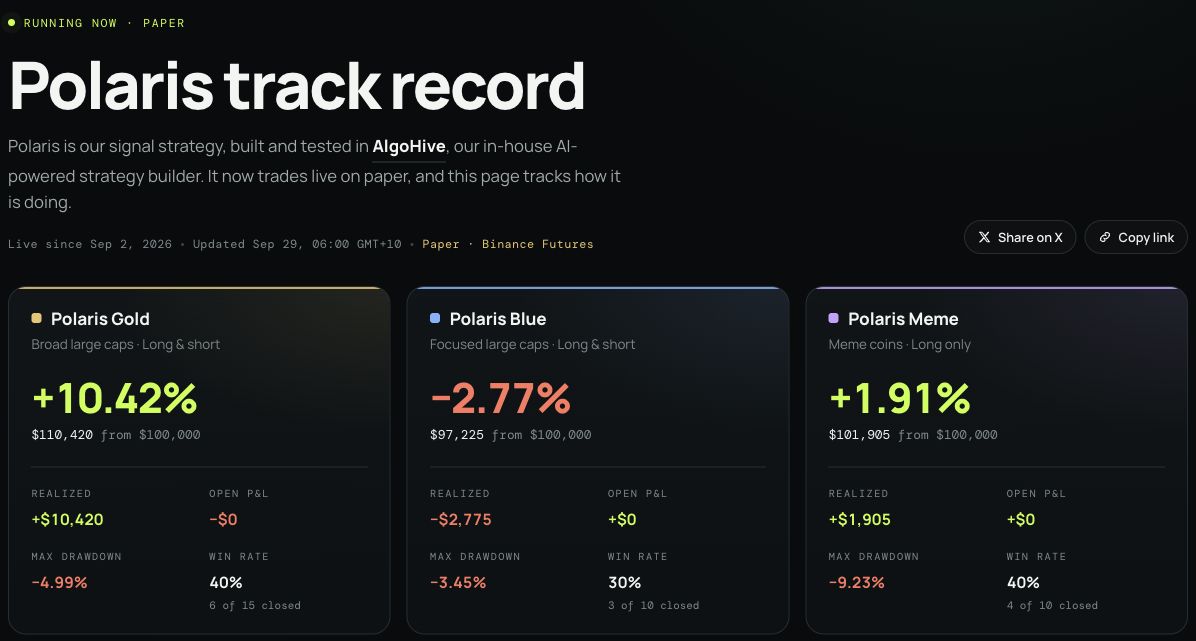
The public track record compares all three strategies. The Paper label identifies simulated trading.


